好了好了hǎo leEs ist gut so. In Ordnung. OK. (u.E.)好hǎogut, ordentlich, gründlich (u.E.) (Adj)了lePerfektsuffix
Satzendepartikel: Veränderung (S),您您nínSie (Ihnen) höfliche Anrede (Pron)看看看看kàn kànsehen (u.E.) (V)怎么样怎么样zěn me yàngwas ist mit... (u.E.)
wie wäre es, wenn ... (u.E.)
wie ... (u.E.)怎zěnwarum, wie (u.E.)么maSatzpartikel zur Betonung e. logischen Schlussfolgerung (u.E.) (S)样yàngArt, Typ, Sorte (u.E.) (S)
Form, Stil (u.E.) (S)
Gestalt, Aussehen (u.E.) (S)?
Improving Chinese reading speed
Responsive Design Flow Optimization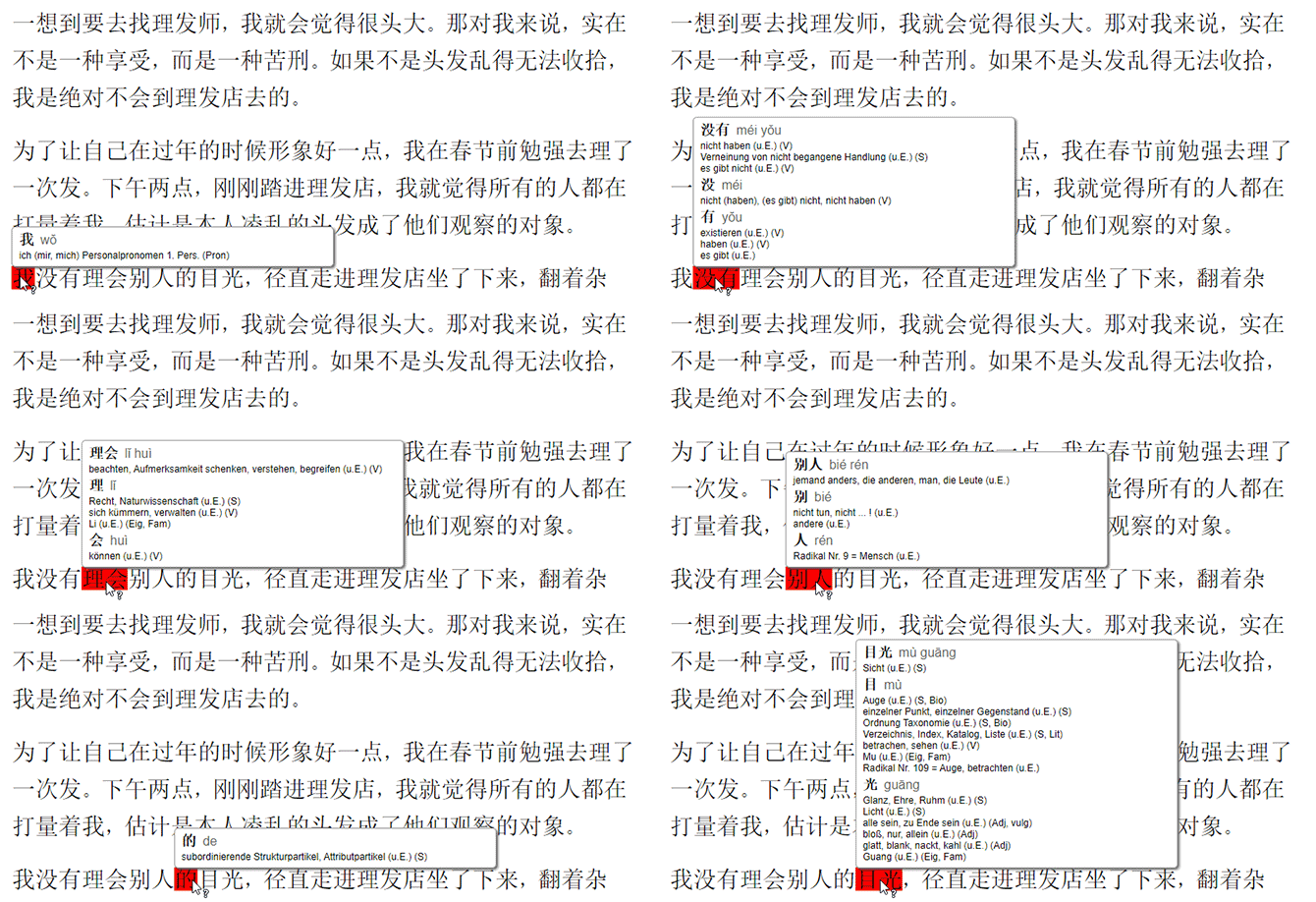
The final website let you just hover over a text and you would see the meaning of the selected words
I worked on this website project to learn the basic web design tools and to solve a problem a lot of students - including myself - are struggling with: Reading Chinese.
The challenge: Why reading Chinese is difficult
Chinese has a character for every word or some combination of characters. Unlike languages with an alphabet the reader has no definite way of knowing how to pronounce an unknown word. Learning a language like Spanish or German the reader can at least pronounce a word even though the meaning might not be clear.
The problem with that is that if you do not know a character, reading a text is rather hard and not really encouraging. And for reading Chinese texts you need to know at least around 2000-3000 characters.
In Chinese you can make an educated guess but there’s a good chance you are wrong. And that’s what makes reading Chinese hard and discouraging. Furthermore, recognizing which characters go together is also unknown due to the lack of spaces between words. How can this be improved?
The process
In order to get a better understanding of the problem I first analyzed some existing solutions:
- Pleco - a Chinese dictionary app with an integrated reader
- Perapera - a Chinese popup dictionary add-on for Chrome and Firefox
- Chinese dictionaries in book form
Unfortunately, none of the above solved the problem to my satisfaction.
- Pleco was only available on smartphones and text needed to be copied into the app.
- Perapera only worked in desktop browsers.
- Traditional dictionaries are too slow and carrying them everywhere is not practical.
Moreover, I wanted my solution to work on mobile and desktop browsers. And I didn't want to force the user to install anything. And most importantly the existing solutions did not really distinguish words - that task was still something the user had to figure out by himself.
Try tapping or hovering over a Chinese character, it should show the translation.
The results
My solution was a mix between the existing solutions: The user simply has to touch the word in question - although I added an extra feature improving it. The words are pre-selected so the user will instantly know which characters go together to form a word. It works on mobile and desktop browsers and does the job without any hassle for the user.
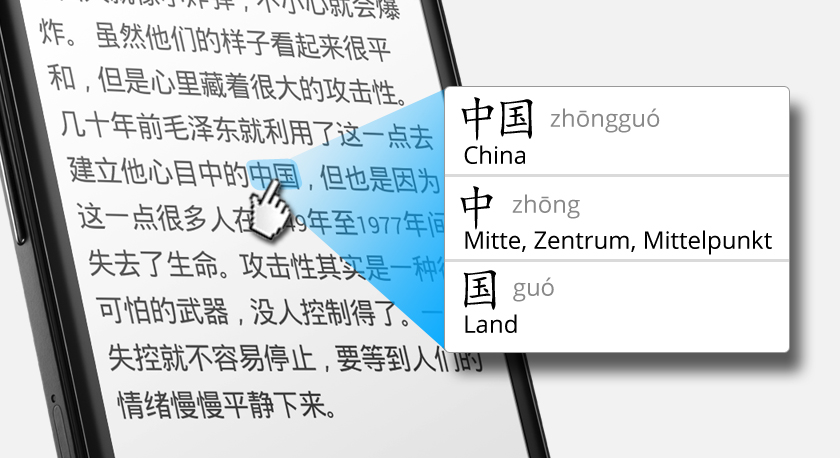
The feature was implemented with responsive Design, on mobile devices a simple touch shows the translation
As I worked with selected texts, I also added a brief German introduction so the user can get a rough understanding of the text beforehand and later on can make better guesses from the context.
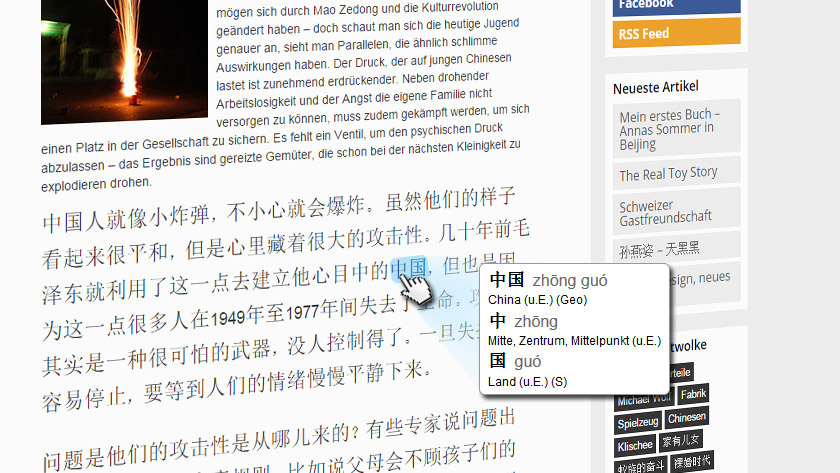
Before the Chinese text was a short German summary
I got great feedback from other students. I'm especially happy that some expressed to me that they usually don't finish texts as they lose interest/context but this helped them stay focused.
So far, I was pretty happy with the results unfortunately my method required too many manual steps to make it work. That's why I eventually stopped the project.
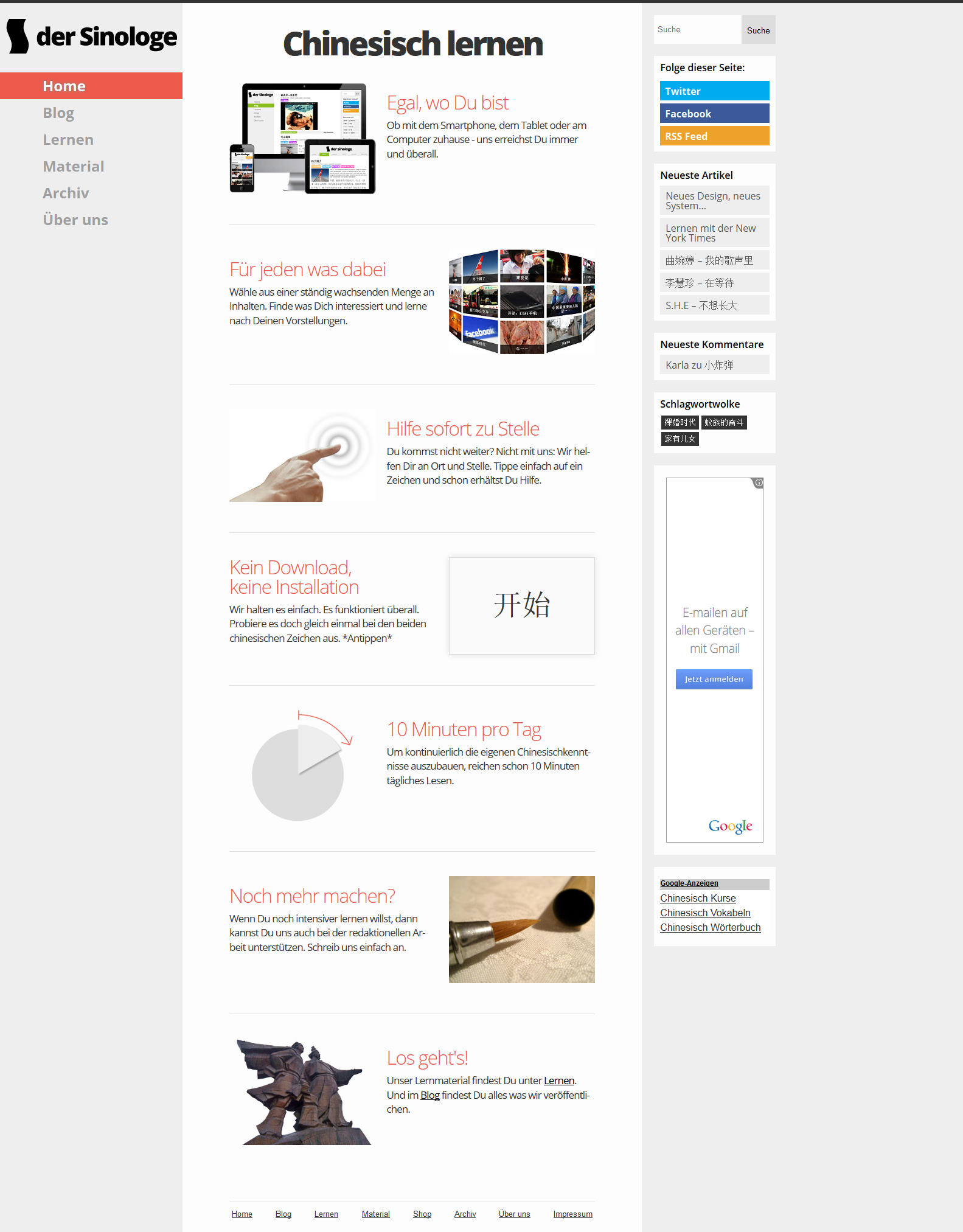
Final design of the home page
Second iteration
Although the website was great and made it really easy to read Chinese texts. It didn’t really attract visitors apart from a few people that new the site or from a short-term push in social media.
Also, the texts on the site were written mainly by myself and it was quite time consuming to have them corrected by Chinese friends. So, I always struggled to get new content.
Furthermore, the site was targeted at German students learning Chinese. So, the number of people that would potentially be interested in the site was by nature already somewhat small.
A possible solution: A new page
Instead of targeting German students the new page was international i.e. English-Chinese. And instead of writing the content myself I started curating other content I found online. I solved a few minor problems but I still didn’t understand how to get people to my site.
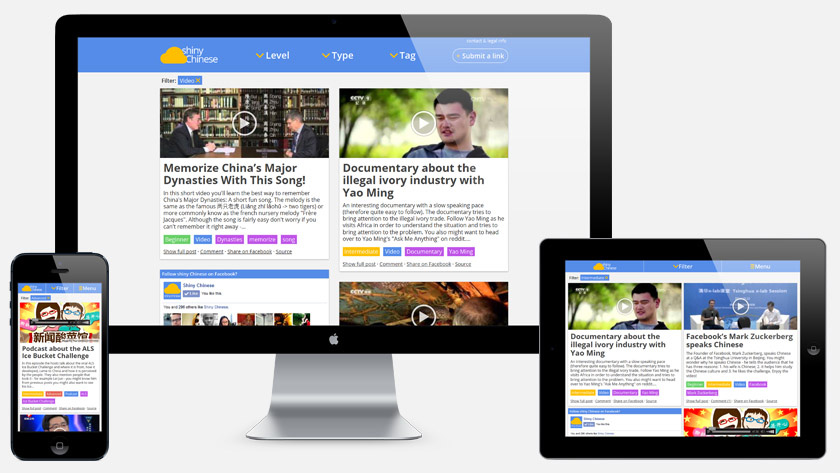
The new site ShinyChinese (offline by now) was also fully responsive
The site did perform better but my visitors came mostly from social media pushes and recommendations from different blogs (ChinesePod, Sinonerds and several other blogs).
But the traffic was not organic. My site wouldn't be found through Goggle and therefore relied heavily on me promoting it.
Third iteration: Not Chinese
It took me some time to realize that the current approach wouldn't scale. Adding more content wasn't bringing new users and therefore I decided to take the site offline as well.
The next iteration was inspired by a case study I read online about search engine optimization. I created a site only addressing this issue so the content was not Chinese anymore. The content was guided by what people were looking for.
The third iteration is still live and you can find more information about it in my other portfolio piece.